Microsoft Windows
Download PDFRules, dashboards, and triggers for Windows events from LogZilla Windows Agent
Overview
Microsoft Windows produces log events from various services and programs but does not natively support forwarding events to external log collectors. The LogZilla Syslog Agent for Windows reads local Windows events and forwards them to LogZilla in JSON format.
App Function
Windows events forwarded by the LogZilla Syslog Agent for Windows are processed to extract security-relevant metadata including:
- Event IDs and descriptions
- Usernames and domain information
- Source IP addresses
- MITRE ATT&CK technique mappings
- Process creation details for suspicious activity detection
Vendor Documentation
Prerequisites
Required: The LogZilla Syslog Agent for Windows must be installed on each Windows system. Without the agent, no Windows events will be forwarded to LogZilla.
Device Configuration
- Download
LogZilla_Winagent.msifrom the winagent-releases repository - Install the agent on each Windows system to monitor
- Configure the agent with the LogZilla server address and ingest token
- Select which Event Logs to forward (Security, System, Application, etc.)
- Start the LogZilla Syslog Agent for Windows service
The agent configuration interface allows selection of specific Event Logs and filtering options.
Incoming Log Format
The LogZilla Syslog Agent for Windows converts native Windows events into JSON format for LogZilla processing.
Parsed Metadata Fields
| Tag Name | Example | Description |
|---|---|---|
Vendor | Microsoft | Vendor name for cross-vendor filtering |
Product | Windows | Product name for cross-vendor filtering |
Event Class | Auth, Security, System | Cross-vendor event classification |
Event Type | Session | Specific event type (Session, Account Management, Configuration, Service) |
MSWin EventID | 4625 | Windows Event ID |
MSWin EventLog | Security | Windows Event Log name |
MSWin Category | Logon/Logoff | Windows event category |
MSWin Sub Category | Logon | Windows event sub-category |
Criticality | High, Medium, Low | Event criticality level |
MSWin Description | An account failed to log on | Human-readable event description |
MitreId | T1110 | MITRE ATT&CK technique ID |
MITRE Tactic | Credential Access | MITRE ATT&CK tactic category |
User | jsmith | Target username for auth events |
User Domain Name | CORP | Target user domain name |
SrcIP | 192.168.1.100 | Source IP address |
MSWin Failed Login User | admin | Username for failed login (4625) |
MSWin Failed Login Source Network | 192.168.1.100 | Source IP for failed login (4625) |
MSWin New Process | C:\Windows\System32\cmd.exe | New process path (4688) |
MSWin Process Args | powershell.exe -enc ... | Process arguments (4688) |
MSWin Parent Process | C:\Windows\explorer.exe | Parent process (4688) |
MSWin Suspicious Indicator | Encoded Command | Suspicious activity indicator |
MSWin Source | eventlog, file | Whether the agent read an event log or tailed a file |
File | C:\Logs\app.log | Path of the tailed file (file events only) |
MITRE ATT&CK Mapping
The app maps security-relevant Windows events to MITRE ATT&CK techniques:
| Event ID | Technique | Tactic | Description |
|---|---|---|---|
| 4625, 4740, 4776 | T1110 | Credential Access | Brute Force |
| 4771, 4768, 4769 | T1558 | Credential Access | Kerberos Tickets |
| 4720 | T1136.001 | Persistence | Create Account |
| 7045, 4697 | T1543.003 | Persistence | Windows Service |
| 4672, 4728, 4732, 4756 | T1078 | Privilege Escalation | Valid Accounts |
| 1102 | T1070.001 | Defense Evasion | Clear Event Logs |
| 4624 | T1021 | Lateral Movement | Remote Services |
| 4688 (suspicious) | T1059 | Execution | Command Interpreter |
Process creation events (4688) are only flagged when suspicious patterns are detected, such as encoded PowerShell commands, LOLBins, or execution from temporary directories.
Log Examples
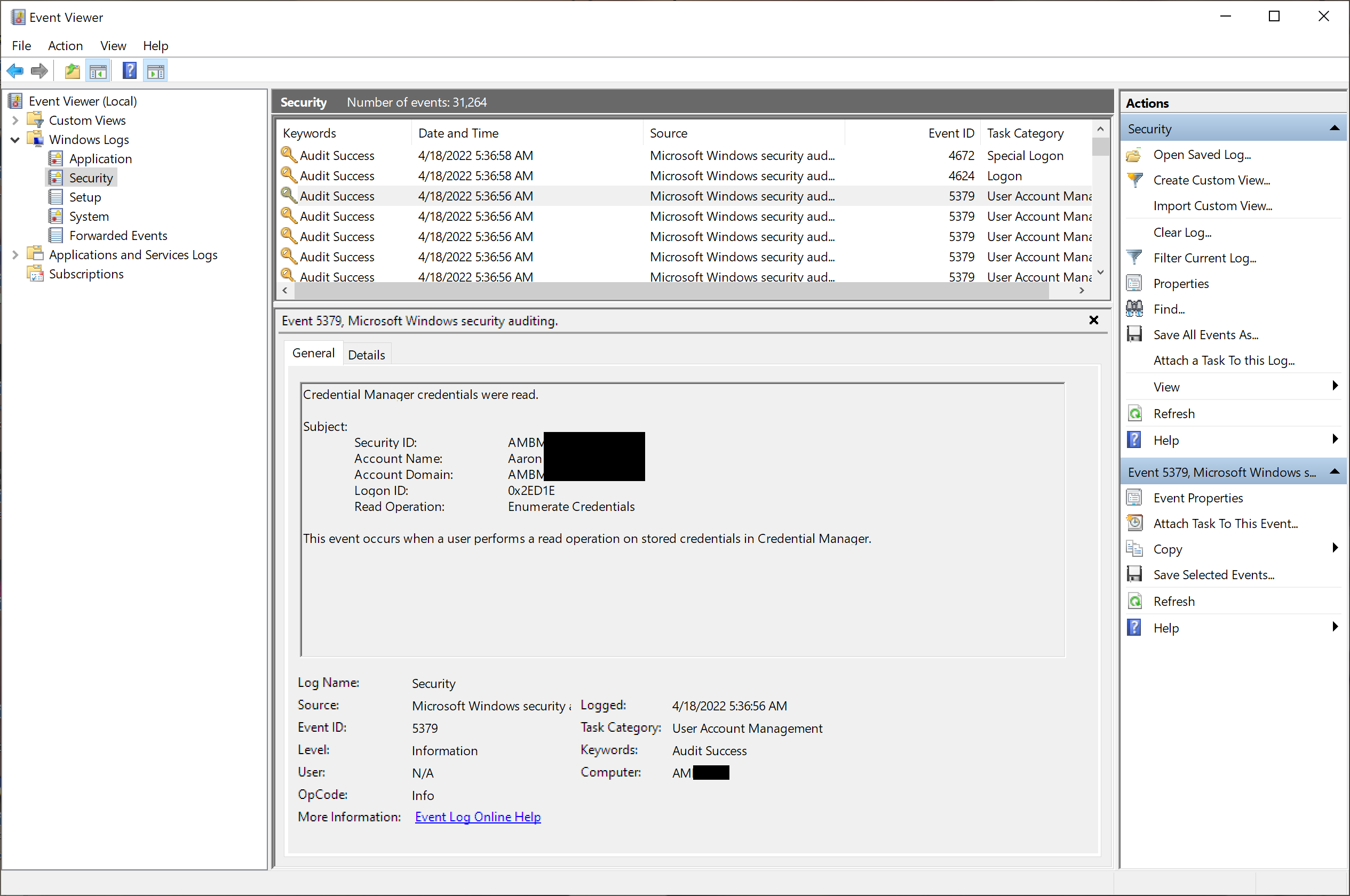
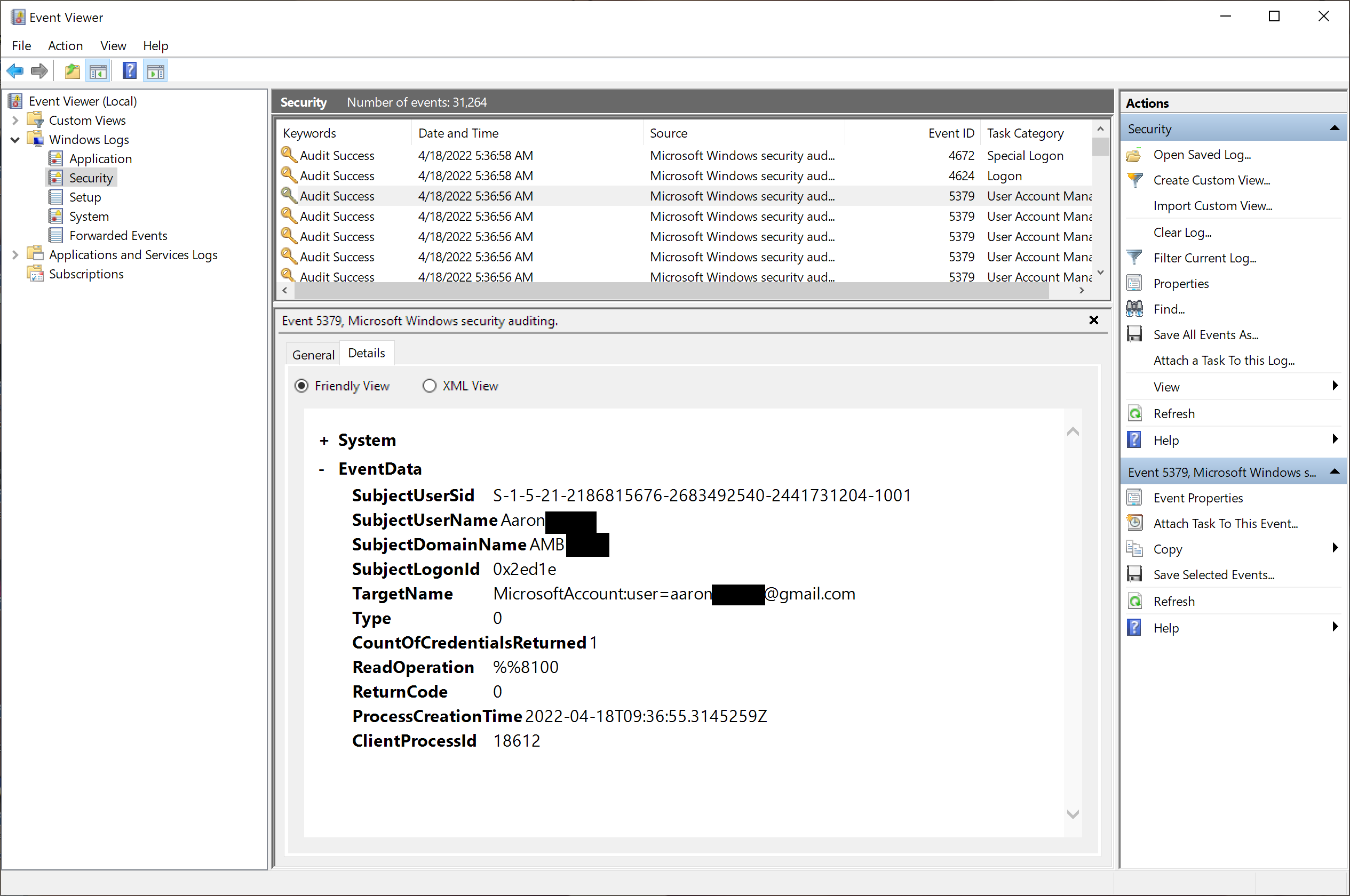
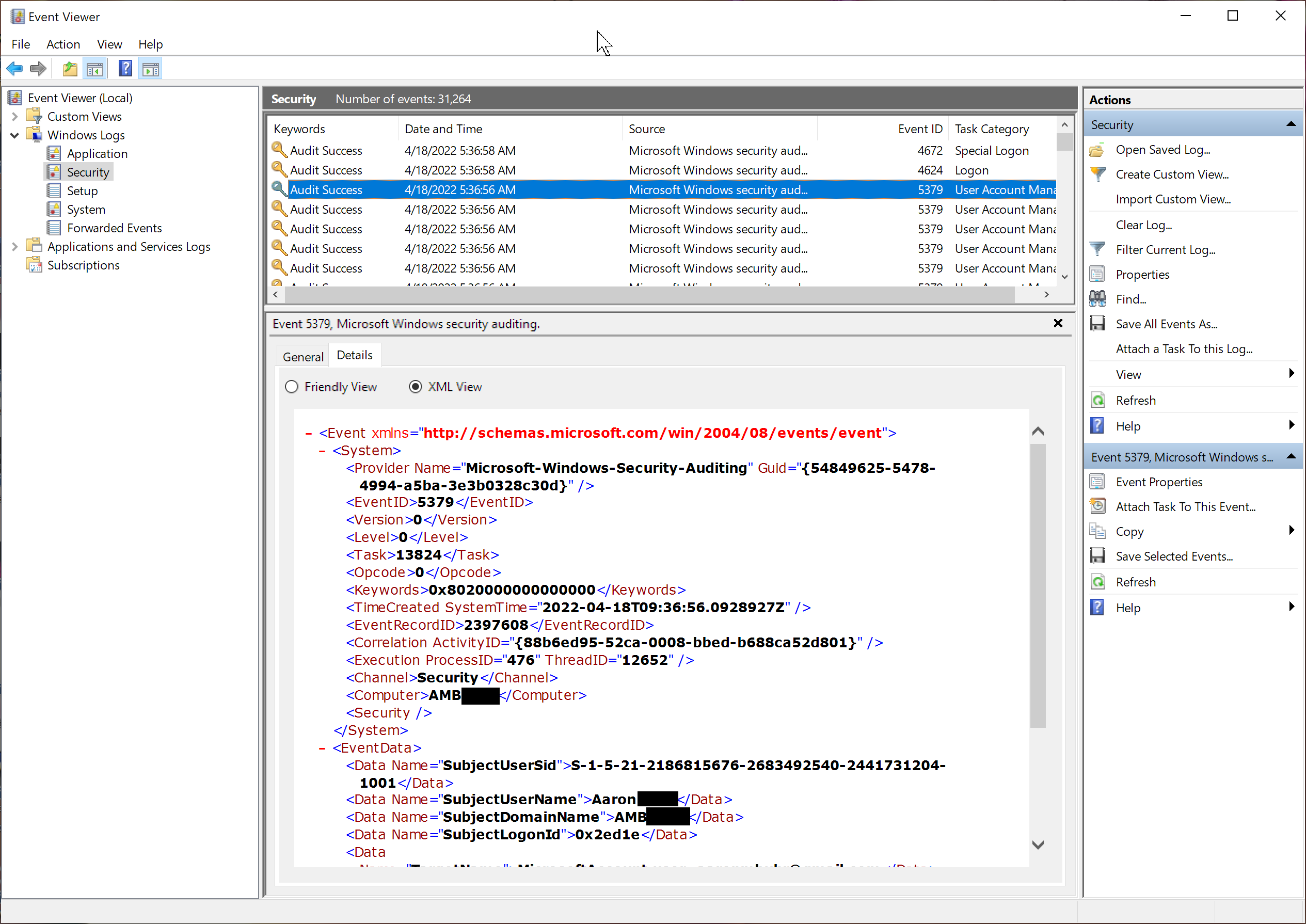
Windows Event Viewer
JSON Format (LogZilla Input)
The agent sends events via HTTP with metadata in extra_fields:
json{
"host": "WIN-SERVER01",
"program": "Microsoft-Windows-Security-Auditing",
"message": "EventID=\"4625\" EventLog=\"Security\" An account failed to log on",
"extra_fields": {
"_source_type": "WindowsAgent",
"_log_type": "eventlog",
"event_id": "4625",
"event_log": "Security",
"computer": "WIN-SERVER01",
"event_user_name": "jsmith",
"event_user_domain": "CORP",
"SubjectUserSid": "S-1-5-21-1234567890-1234567890-1234567890-1001",
"SubjectUserName": "WIN-SERVER01$",
"SubjectDomainName": "CORP",
"TargetUserName": "jsmith",
"TargetDomainName": "CORP",
"WorkstationName": "WORKSTATION01",
"IpAddress": "192.168.1.100",
"ProcessName": "C:\\Windows\\System32\\svchost.exe"
}
}
Standard fields (host, program, message) are at the top level.
Event-specific fields are in extra_fields and vary by Event ID.
Triggers
| Trigger Name | Condition | Action |
|---|---|---|
| Windows: Suspicious Process Execution | 4688 with suspicious indicator | Alert |
| Windows: MITRE ATT&CK Activity | Any event with MitreId | Alert |
| Windows: Failed Login Attempt | Event ID 4625 | Alert |
| Windows: Account Locked Out | Event ID 4740 | Alert |
| Windows: Audit Log Cleared | Event ID 1102 | Alert |
| Windows: Account Created | Event ID 4720 | Alert |
| Windows: Account Deleted | Event ID 4726 | Alert |
| Windows: Security Group Changed | Event ID 4728, 4732, 4756 | Alert |
| Windows: Special Privileges Assigned | Event ID 4672 | Alert |
| Windows: New Service Installed | Event ID 7045 | Alert |
| Windows: Unexpected Shutdown | Event ID 6008 | Alert |