Forwarder and Deduplication Overview
Download PDFLogZilla collapses repeated events at ingest through deduplication windows, then forwards the reduced stream to syslog, file, Splunk HEC, or SNMP receivers
Deduplication and Forwarder Overview
LogZilla performs deduplication at ingest to collapse repeated events into a single forwarded event per window, with a count of occurrences. This reduces downstream CPU, storage, and licensing impact during event storms, while preserving the signal needed for operations.
Deduplication process
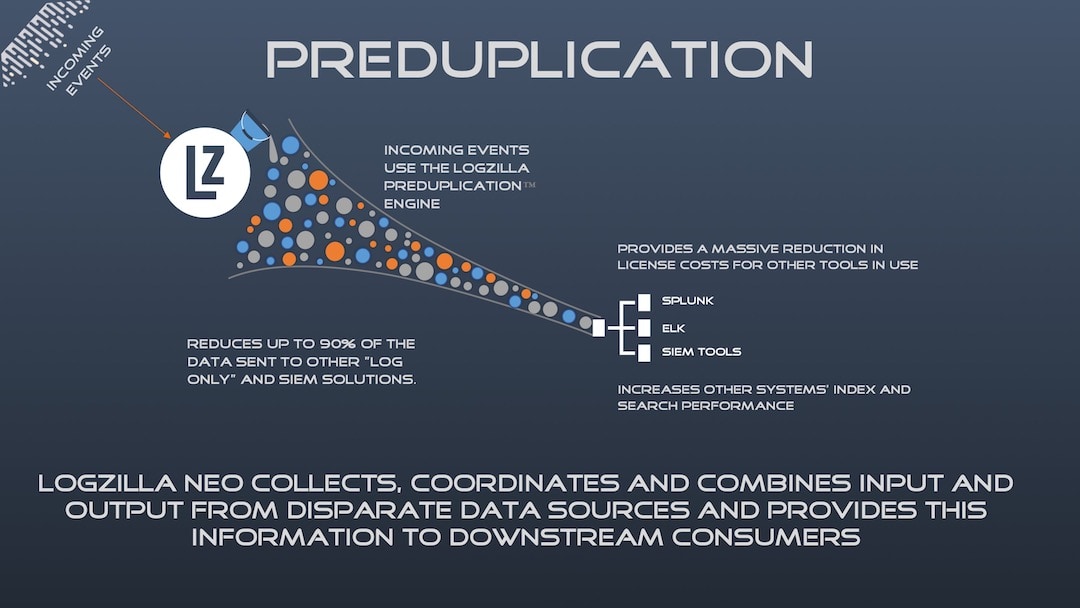
In large environments, devices may emit the same event repeatedly (for example, during a link flap or authentication failure). Deduplication at ingest ensures downstream receivers handle a small, meaningful set of events rather than an overwhelming flood.
Event storm example
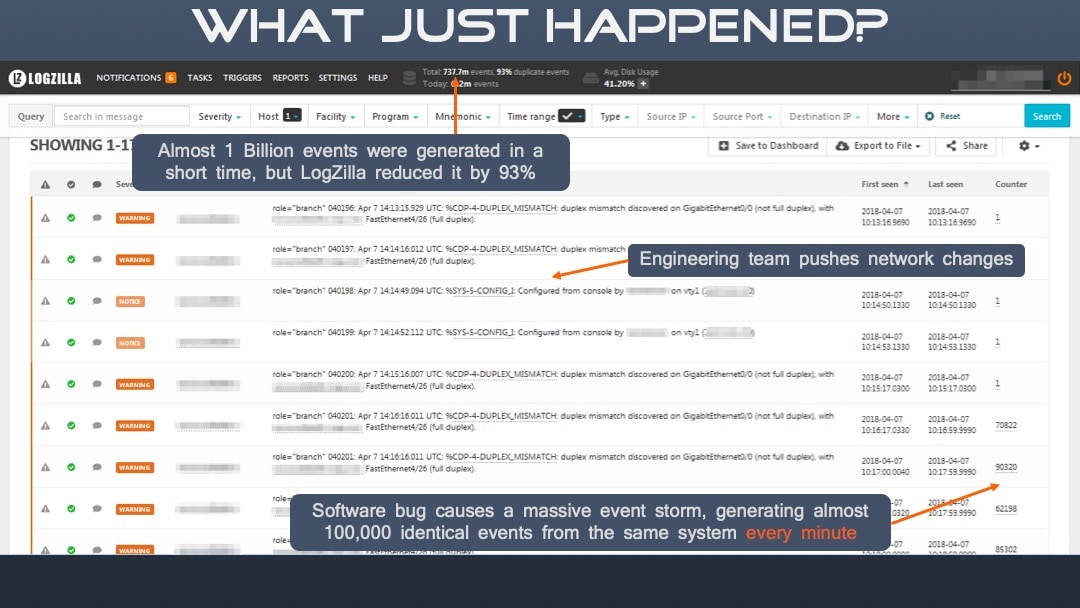
In the scenario above, hundreds of thousands of duplicate events could be reduced to just a handful, with a counter indicating how many times each unique event occurred.
Forwarding options
LogZilla can forward events as a log or a trap, regardless of how the event was received (syslog, HTTP receiver, traps, or app inserts). The module applies deduplication first, then applies any forwarder rules, and finally delivers to the configured destination(s).
Forwarder matching and rules
Forwarders use the same match structure as rewrite rules to decide which
events to send to a destination. Each forwarder can include an optional
match list; only events that satisfy all match entries are forwarded.
For a full description of match semantics, common fields, and supported
operators, see Rewrite
Rules.
Regex matching example
Use regular expressions for complex matching against the message text:
yaml# /etc/logzilla/forwarder.d/interface-monitoring.yaml
match:
- field: message
op: "=~"
value: "Interface .* is (up|down)"
type: syslog
target: central-log-collector:514
name: "Interface State Change Forwarder"
This forwards events where the message indicates an interface state change,
regardless of whether it transitioned up or down.
Configuration locations and workflow
/etc/logzilla/forwarder.yaml(or.json): Global forwarder file. It is created automatically on first use with sane defaults (window_size: 60,fast_forward_first: true). Most users should not modify this file directly./etc/logzilla/forwarder.d/: Recommended location. Place individual forwarders here, one forwarder per file (YAML or JSON). This keeps configurations modular and easier to manage.
After adding or changing forwarders:
bash# Inspect the merged forwarder configuration (useful for syntax checks)
logzilla forwarder print
# Reload the forwarder to apply changes
logzilla forwarder reload
The reload reports the number of forwarders that are enabled. If a file cannot be loaded or a forwarder fails validation, the reload is refused and the message names the file and the reason. If the forwarding engine refuses a forwarder, the reload is refused and the message reports how many forwarders were rejected, with the details in the forwarder module log. In both cases the previous configuration keeps forwarding until the file is fixed or removed and the reload is repeated. A restart of the forwarder module does not keep the previous configuration: the module starts with the forwarders it can load and skips the rejected ones.
To enable the Forwarder module feature flag:
bashlogzilla settings update FORWARDER_ENABLED=true
For full CLI usage, refer to: